InstaVision: Smart & Safe Home
- 4.5
- Rating
- 100.00K
- Installs
- Free
- Price

 Analysis by App-foxy
When I want to check what is happening at home without turning the whole process into a technical project, I look for a security app that feels direct, readable, and dependable. InstaVision: Smart & Safe Home takes that practical route. It is a free House & Home app from InstaVision Inc. built around home monitoring, HD video, two-way audio, and event detection. After spending time with it, I see it as a useful option for people who want a straightforward way to look in on a room, communicate remotely, and notice activity without constantly watching a live feed.
The app is available to everyone in the family in terms of its content rating, and it supports devices running Android 9 or later. Its current version is 2026.02.19.1821, while its release date was March 12, 2024. Those details matter because a home-monitoring tool depends heavily on the phone, camera setup, and operating system around it. The app itself can be simple, but the experience still changes when a device is older, storage is tight, or the connection is inconsistent.
How InstaVision feels during everyday monitoring
I find InstaVision most useful when I treat it as a quick check-in tool, not a screen to keep open all day. Its video, audio, and event detection each serve a different purpose, so I can first use an alert to decide whether a closer look is needed, then choose whether speaking through the setup makes sense. That everyday rhythm also raises a practical question: what should I consider before trusting a camera app inside my home?
You May Also Like

 Blood Strike: 2.5 Anniversary
Blood Strike’s Loadouts Turn Every Drop Into a Tactical Gamble
A close look at Blood Strike’s custom loadouts: how fast access to signature weapons reshapes its battle royale rhythm, rewards preparation, and narrows the gap between fights.

 Pandora - Music & Podcasts
Pandora’s Music Is Easy to Start, but Harder to Recover
Pandora’s strength is its low-effort path from a seed to a station. Its weak spot is how much confidence it asks you to place in connection, setup, and quiet recovery.

 8 Ball Pool
 Is Built on Rivalries, Rematches, and Routine
A close look at the rivalries, rematches, shared routines, and unanswered safety questions that turn a quick pool match into a persistent mobile community.

 Samsung Music
’s Quiet Strength Is Playing What You Already Own
Its reach comes less from spectacle than from dependable access to a personal library. That simplicity is both the app’s strongest retention engine and its ceiling.

 AccuWeather: Weather Radar
AccuWeather Review: A Quick, Clear Forecast for Everyday Decisions
For everyday plans, the best forecast is the one you can understand quickly. AccuWeather makes rain timing, radar, and local conditions easy to act on, with a few trade-offs.

 Hill Climb Racing
Why Hill Climb Racing Still Turns Crashes Into One More Run
A tiny car, a bumpy hill and one more upgrade: Hill Climb Racing keeps resurfacing because its simple chaos makes every near-miss feel personal.
More From Our News Desk
View All News


Quick checks are where it makes the best impression
My first impression is that this is an app designed for short, purposeful visits rather than endless browsing. I open it because I want to see whether everything is normal, listen to what is happening, or speak through the setup. That focus gives the experience a useful sense of speed: the value is in reaching the relevant camera view and acting on it, not in filling the screen with unrelated tools.
HD video is especially helpful when I am checking details that standard video can make uncertain. A quick glance can answer whether a pet is in its usual place, whether a child has entered a room, or whether an object has moved. I would not treat the image as a replacement for being physically present, but the extra clarity makes remote checks more informative than relying on a vague preview.
The two-way audio also changes the workflow. Instead of opening another calling app, I can use the monitoring setup itself to speak to someone nearby. That is convenient for a simple reminder or a quick reassurance. It is not the same as a normal conversation, though. A camera speaker and microphone are generally best for short exchanges, so I would keep expectations realistic and avoid using this as the main communication method for long discussions.
Event detection is the feature that can reduce the need for constant manual checking. Rather than staring at a live view for signs of movement, I can use detected activity as a prompt to investigate. The useful habit here is to treat an event as a reason to look, not automatic proof that something important happened. A person, pet, changing light, or movement near the camera may all deserve different responses, and the app cannot replace my judgment.
What happens when the app is used repeatedly
Short sessions are the natural fit. I might check the home before leaving work, open the video again when I hear an alert, and use audio to speak briefly once I know what I am seeing. In that pattern, the app feels more practical than a traditional camera viewer that I would leave open all day. The interface has a clear purpose, and that helps me decide when to close it instead of keeping a live stream running unnecessarily.
Heavy use is a different matter. Live HD video, audio, and repeated event checks all ask more from a phone than a static household app. I would expect longer monitoring sessions to use more battery and possibly create more heat than occasional checks, especially on an older device. That is not a flaw unique to this app; it is a trade-off built into live camera viewing. Anyone planning to use it for extended periods should keep the phone charged and avoid assuming that a small handset will behave like a dedicated monitor.
There is also a practical difference between watching one important area and trying to use the app as a complete security command center. InstaVision makes sense when I need focused awareness around a home. If my routine involves many simultaneous views, detailed investigation, or a large collection of connected equipment, I would compare it carefully with a more specialized security platform before committing to it as the only tool.
Stability depends on the whole setup
A home-monitoring app has two kinds of reliability: whether the application responds properly and whether the camera connection remains available. InstaVision can provide the viewing, audio, and event-detection functions, but the result still depends on the network, the camera hardware, the phone, and the conditions in the monitored space. If one part of that chain struggles, a delay can look like an app problem even when the underlying cause is elsewhere.
For that reason, I would test the complete setup before trusting it for an important routine. I would open the video from the places where I normally use it, try the two-way audio in both directions, and see how an event appears while I am away from home. This simple rehearsal is more useful than assuming that a successful installation automatically means the system will behave perfectly in every situation.
Recovery is another point worth considering. If a live view stalls, I would first check the phone connection and whether other apps are consuming resources, then close and reopen the monitoring session. If the issue continues, checking the camera and home network is more sensible than repeatedly tapping the same control. A security app should be part of a broader household plan, not the only thing I rely on when an urgent situation needs confirmation.
Older phones and limited resources
Because Android 9 is the minimum supported operating system, the app is accessible to many devices that are no longer new. That is welcome for households that do not want to buy a current phone just to view a camera. At the same time, operating-system support does not guarantee identical performance across every compatible model. A phone with limited memory, a worn battery, or a crowded storage drive may handle live video less comfortably than a newer device.
I would also avoid judging the app only on a budget phone used far from the router. Video quality and responsiveness can change with signal strength, distance, and network congestion. If the app feels slow, I would compare the same camera view on a stronger connection before deciding that the software is at fault. This is one of the most important practical checks for any remote-monitoring setup.
Resource use matters most when the app stays active in the background or when I leave a video session open. My preferred approach is to use event detection for awareness and open the live feed when I need context. That workflow is more efficient than keeping HD video running continuously, and it also reduces the chance of draining the phone during a long day away from a charger.
A realistic home routine
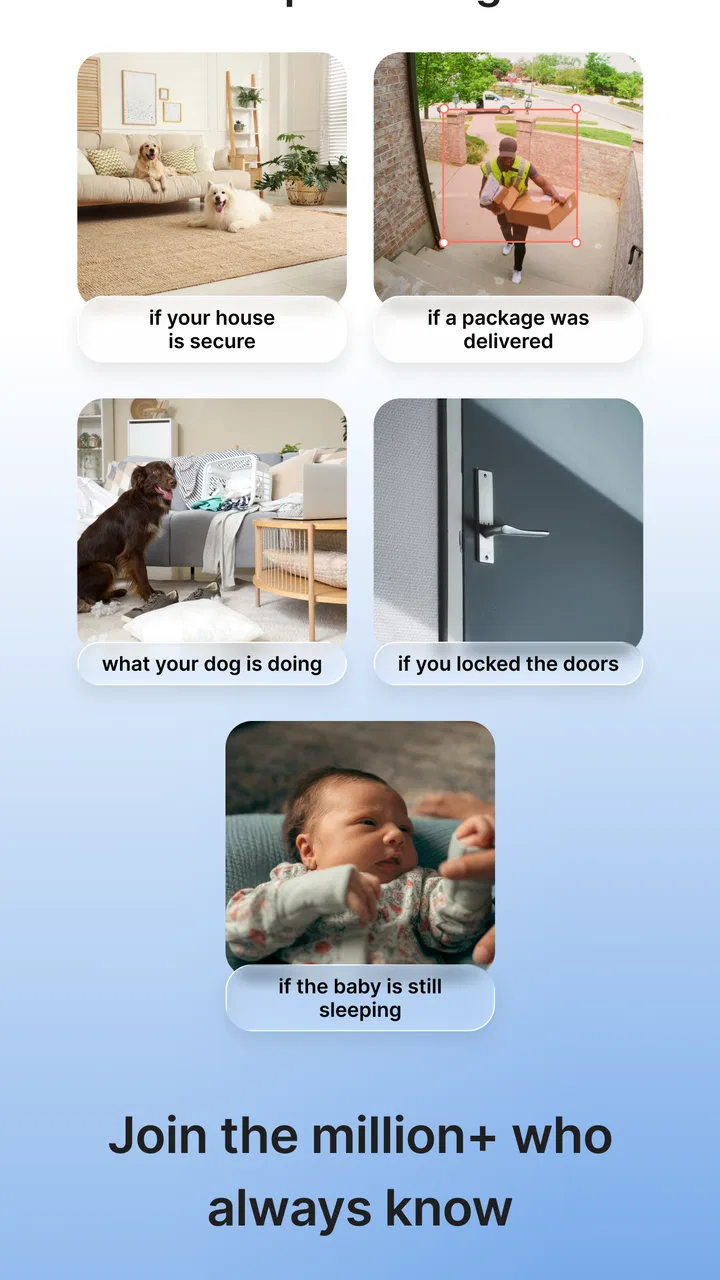
Imagine leaving home in the morning while a pet remains in another room. Instead of asking someone to visit immediately after every unusual sound, I can check the camera, look for movement, and speak briefly if the pet seems unsettled. If an event is detected later, I can open the view and decide whether it is ordinary activity or something that deserves a closer look. This is where the combination of video, audio, and detection feels more useful than any one feature on its own.
Another sensible use is checking a room before going to sleep. I can confirm that the area looks normal, avoid walking through the house again, and keep the app available for a later check. The benefit is not dramatic automation; it is reducing small uncertainties in a routine way. I appreciate tools that save a few unnecessary trips without pretending to replace common sense.
For family use, I would establish clear habits around two-way audio. A short message is convenient, but people should know that speaking through a camera is not private in the same way as a personal call. I would also place the camera with care, avoiding areas where recording would feel intrusive. The app’s Everyone rating describes its content suitability, not a blanket answer to every household privacy decision.
Where it compares well with familiar alternatives
The usual alternative is a camera manufacturer’s own application. Those apps can be a better choice when a particular camera depends on tightly integrated controls, device-specific settings, or a wider hardware ecosystem. InstaVision is more appealing when I want the central experience to focus on seeing, hearing, speaking, and responding to detected activity instead of navigating a large collection of unrelated home controls.
A second alternative is a general smart-home platform. Those services can bring cameras together with lights, locks, sensors, and routines, which is useful for people building a broad connected-home system. InstaVision has a narrower identity, and that can be an advantage for someone who wants a monitoring-centered tool rather than another large dashboard. The trade-off is that a specialized app may not be the best long-term home for someone who plans to automate every room.
There is also the option of using a basic camera viewer with no event detection. That approach may feel simpler and can work for someone who only wants to look in occasionally. I prefer InstaVision for situations where I cannot keep checking manually, because event detection gives me a reason to return to the live view. However, anyone who dislikes alerts or finds detected activity too broad may prefer the calmer rhythm of manual viewing.
Small workflow choices that improve the experience
One useful habit is to separate “something happened” from “something is wrong.” When an event appears, I first use the video to identify the context, then decide whether two-way audio is appropriate. This avoids reacting too quickly to ordinary movement and makes the detection feature more valuable over time.
I also recommend testing audio from the exact place where a family member or pet would be. A microphone may pick up sound differently from one room to another, and the speaker may be clearer at close range than across a larger space. A short test helps me learn whether a spoken instruction is realistic or whether I should use the app only for visual confirmation.
For battery-conscious use, I keep live HD viewing for moments when detail matters. If I only need to know whether a room is active, event detection may be enough to guide the next check. This is a small but important trade-off: the clearest view is not always the most efficient way to stay informed.
Finally, I would make a recovery plan before relying on the app while traveling. I would identify another person who can physically check the home if the camera cannot be reached, and I would test the app from outside the home network. Remote monitoring is most useful when it supports a real response plan rather than creating the illusion that a phone screen alone provides complete protection.
Who should choose it, and who should look elsewhere
I think InstaVision is a good match for renters, families, pet owners, and anyone who wants a focused home-monitoring experience without paying for the app itself. Its free price removes an obvious barrier to trying it, and its combination of HD video, two-way audio, and event detection covers the core actions I expect from a modern monitoring tool. The app has reached over 100 thousand installs, with an average rating of 3.7 from around 1.1 thousand ratings and 454 reviews, so it has a visible user base while still leaving room for mixed experiences.
I would be more cautious if I needed guaranteed professional monitoring, extensive automation, or a system designed around many different types of security hardware. I would also look elsewhere if my phone is very old, my network is unreliable, or I need uninterrupted video for long periods. In those cases, a dedicated monitor or a more established hardware ecosystem may be a better fit, even if it costs more or requires a more involved setup.
My overall view is positive but practical. InstaVision does not need to become the center of every smart home to be useful. Its strongest role is as a focused companion for checking a space, understanding an event, and communicating briefly when I am not there. The best results come from short live checks, sensible use of detection, and a backup plan for moments when technology cannot confirm what is happening.
After using it in that way, I would recommend giving it a try if your needs are centered on everyday awareness rather than full-scale security management. The app’s speed will feel most convincing during quick checks, its resource demands are easier to manage when HD video is used selectively, and its reliability is strongest when the phone, camera, and network are all prepared properly. For a free House & Home app, that is a worthwhile balance.
InstaVision: Smart & Safe Home is ultimately a sensible choice for people who want home monitoring to feel approachable. I would not treat it as a substitute for physical security or a guaranteed emergency service, but I would keep it in mind for the everyday moments when seeing and hearing what is happening is enough to make a better decision.
FAQs for InstaVision: Smart & Safe Home
01What features does InstaVision offer for home security?
InstaVision provides comprehensive home security features like real-time video monitoring, motion detection alerts, and night vision capabilities. The app integrates seamlessly with a range of smart cameras and devices, allowing users to monitor multiple locations from their smartphone. Additionally, it includes two-way audio, enabling direct communication with anyone at your door.
02Is InstaVision compatible with all smart home devices?
While InstaVision supports a wide range of popular smart cameras and devices, it's essential to check the compatibility list on their website before purchasing. The app frequently updates to include more devices, enhancing its integration capabilities. However, some older or less common devices may not be supported yet.
03What are the subscription options for InstaVision?
InstaVision offers a free basic version with limited features, while premium subscriptions provide enhanced functionalities like cloud storage, advanced motion detection, and priority customer support. Users can choose from monthly or annual plans based on their needs. It's advisable to compare the features of each plan before committing.
04How secure is the data on InstaVision?
InstaVision places a strong emphasis on data security, employing encryption protocols to protect user data and video feeds. The app ensures that all communications are securely transmitted and stored. Additionally, users can enable two-factor authentication for an added layer of security, safeguarding their accounts from unauthorized access.
05Can multiple users access the InstaVision app simultaneously?
Yes, InstaVision supports multi-user access, allowing family members or trusted individuals to monitor the home environment. Each user can have customized access levels, ensuring that sensitive areas remain private. This feature is particularly useful for families or shared living situations, promoting collaborative home security management.
Pros
- Easy setup process for quick installation.
- User-friendly interface for seamless navigation.
- High-quality video streaming with minimal lag.
- Customizable alerts for specific events.
- Compatible with most smart home devices.
Cons
- Requires a stable internet connection.
- Limited free features; subscription needed.
- Occasional app crashes reported by users.
- Notifications can be overly frequent.
- Some features may drain battery quickly.

InstaVision: Smart & Safe Home
Gallery